
Translate It — Translate the web, your way.
Translate It brings translation into your browser so you can translate selected text, input fields, page elements, full pages, PDFs, subtitles, and text inside images without leaving the page.
Choose from traditional, AI, and local or offline providers. Live Dubbing can translate tab audio into your chosen language in real time.









Available on popular desktop browsers and Firefox for Android

Features
Key features of Translate It extension
Free & Open Source
Always free with open-source code and no hidden costs
Whole Page Translation
Translate entire web pages while preserving the page structure and layout
Live Dubbing
Hear audio from a tab dubbed into your chosen language in real time.
Text Selection Translation
Simply select any text, and the translation box appears right where you selected or click the translation icon
Hover Translation
Hover over text and use your preferred modifier key to get an instant translation
Screen Capture & OCR
Capture text from images, videos, and other non-selectable content, then extract and translate it with OCR.
PDF Translator
Translate PDF documents directly in your browser without changing their original layout
Subtitle and SRT Translator
Translate SRT subtitle files directly in your browser while preserving subtitle timing and structure
In-Field Translation
When typing in forms, press Ctrl+/ shortcut or click the inline translator icon to instantly translate before sending
Element Selection Translation
Activate Select Element mode and click on any part of the page to translate it entirely without breaking the layout
Popup/Sidepanel
Popup or sidepanel with extended features including pronunciation, dictionary support and translation history
Multiple Translation Providers
Choose from 10+ translation providers, including traditional, AI, and local or offline options.
Dictionary Mode
Get definitions, synonyms, word type, and usage examples along with translations
Word Pronunciation
Each translation comes with audio playback for accurate pronunciation with different accent options
Extension Screenshots
See the Translate It extension features in action
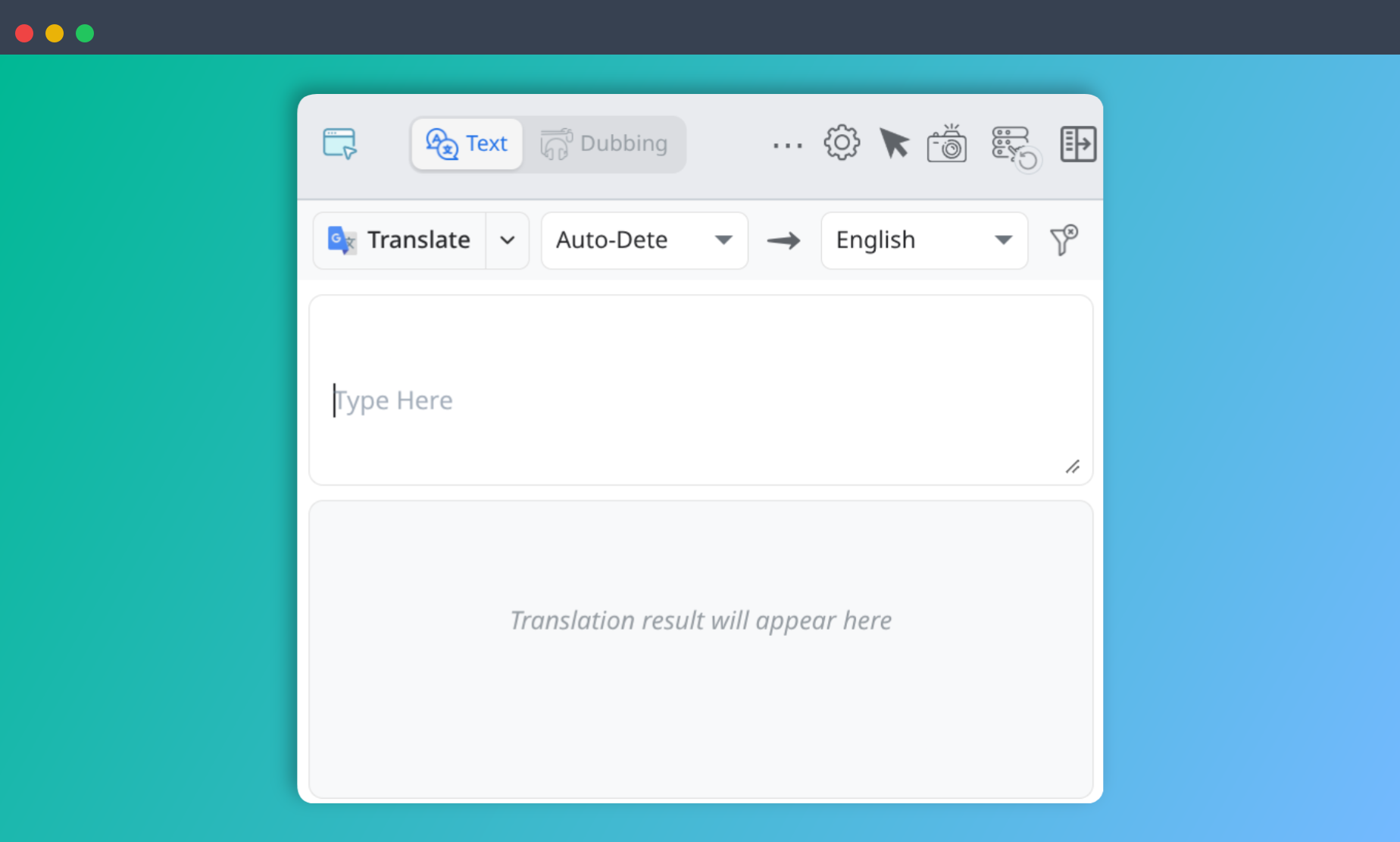
Translation Popup
Translate text directly from the main Translate It popup.
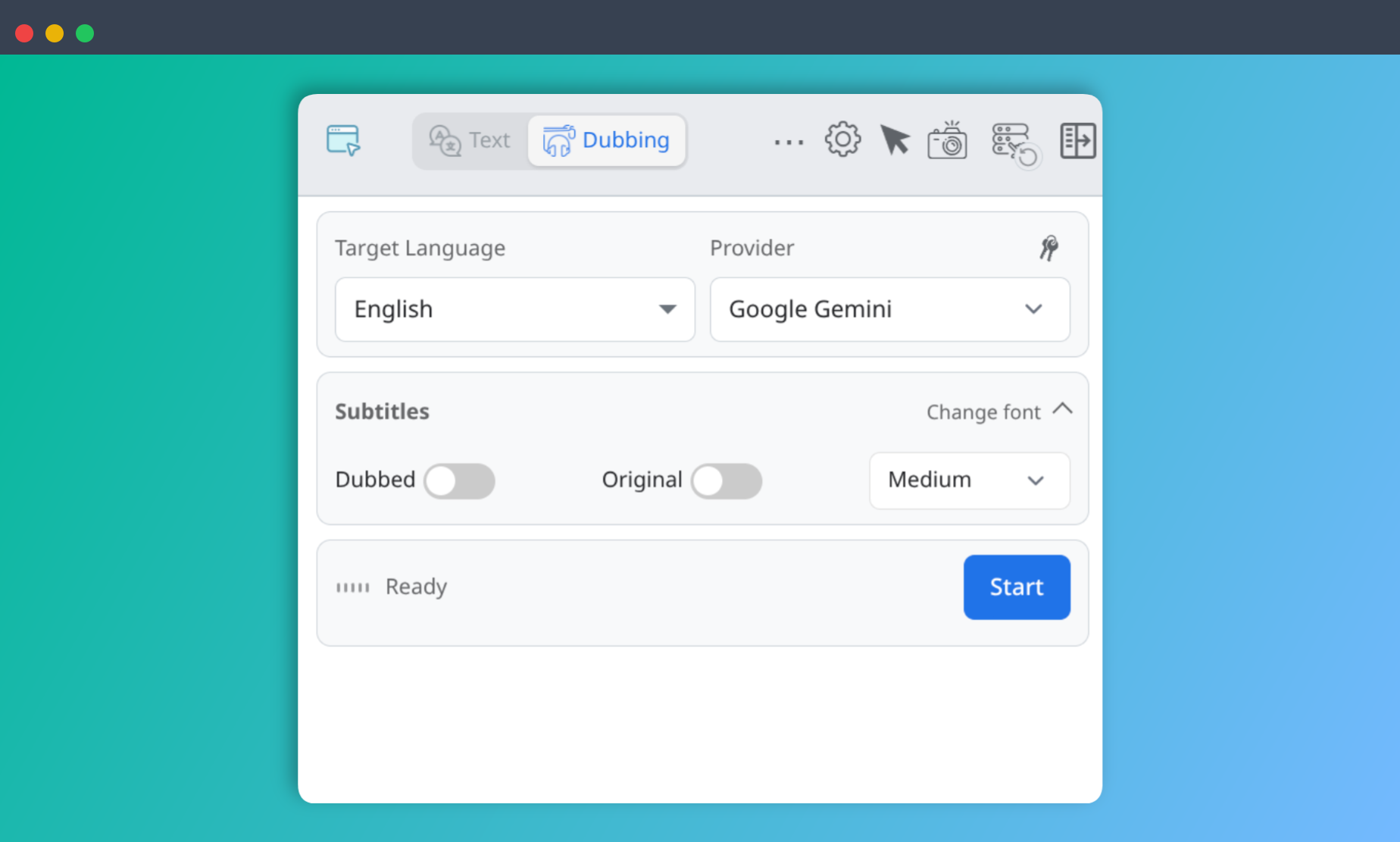
Live Dubbing
Configure and start real-time live dubbing directly from the popup.
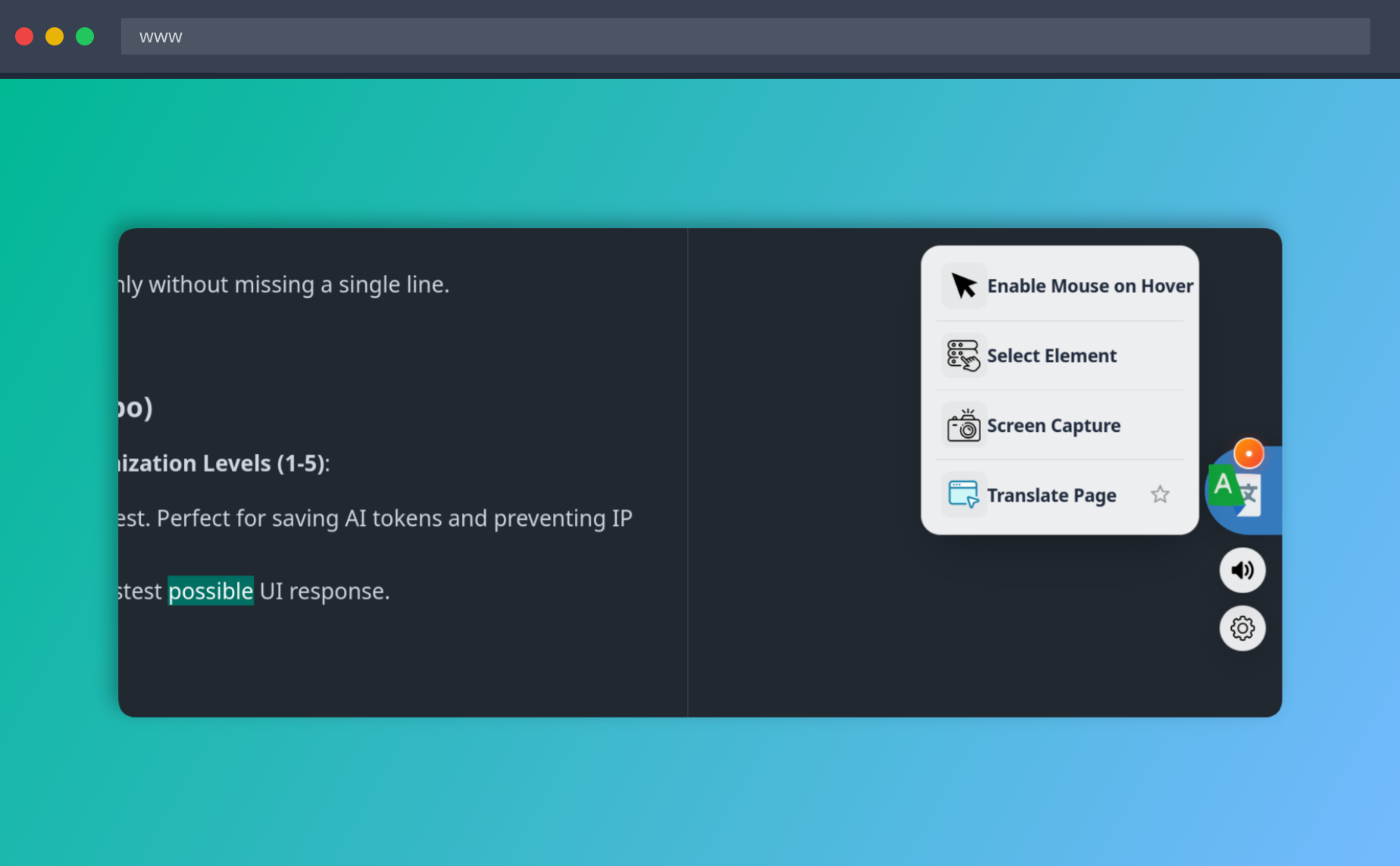
Quick Actions
Quickly access translation tools from the floating action button.
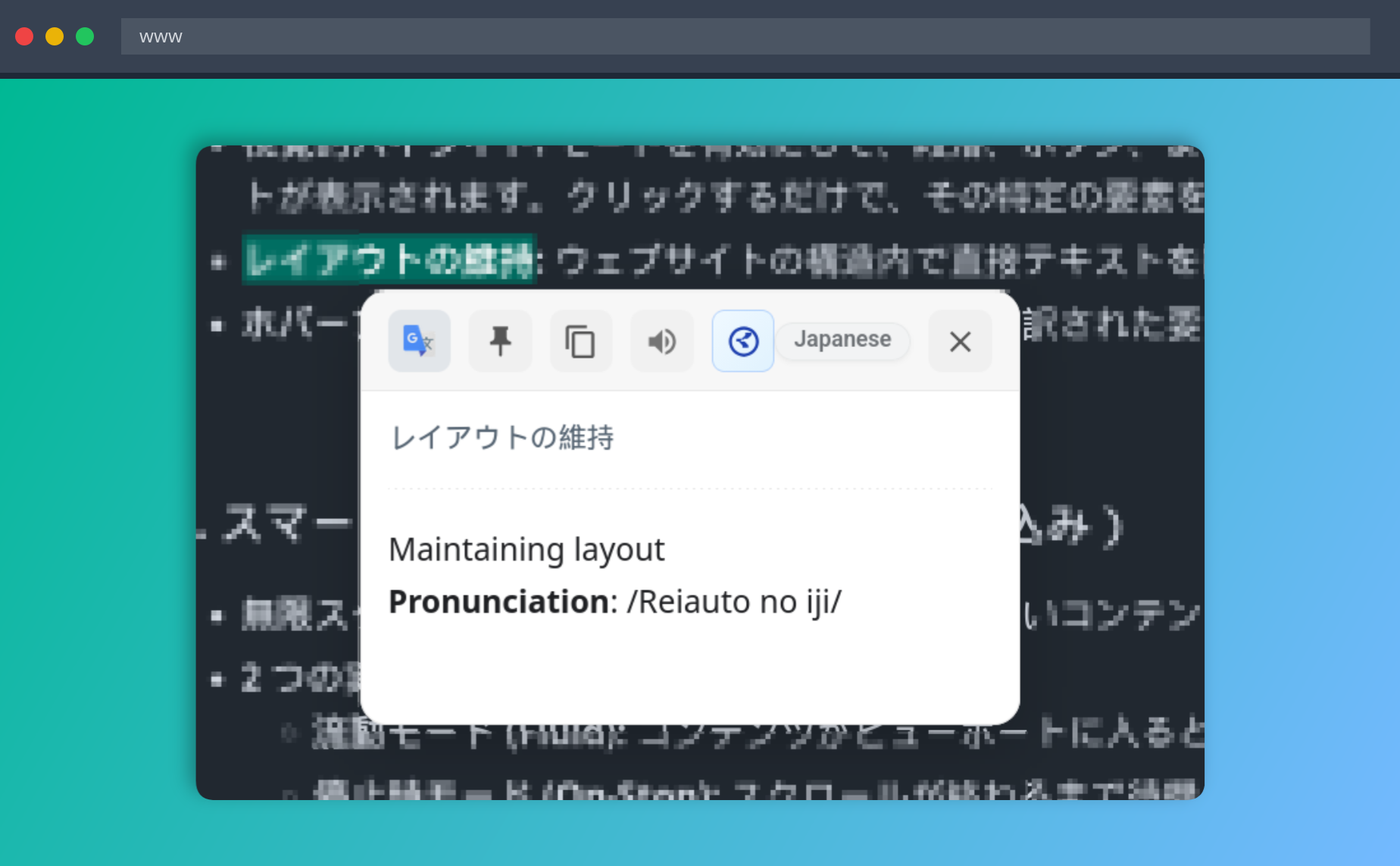
Floating Translation Window
Translate selected content in a movable window without leaving the page.
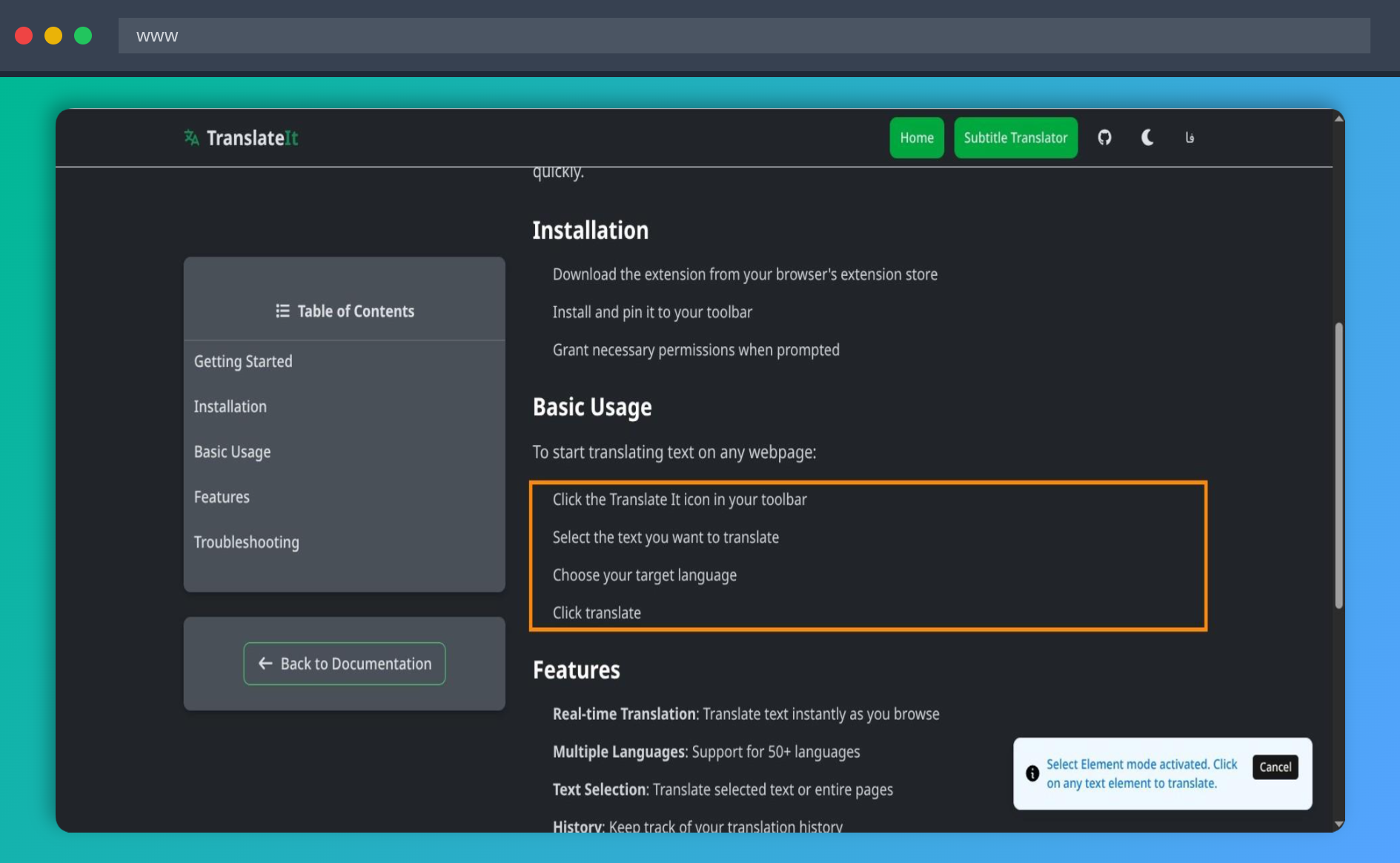
Select Element Before Translation
Select Element mode highlights the page content you want to translate.
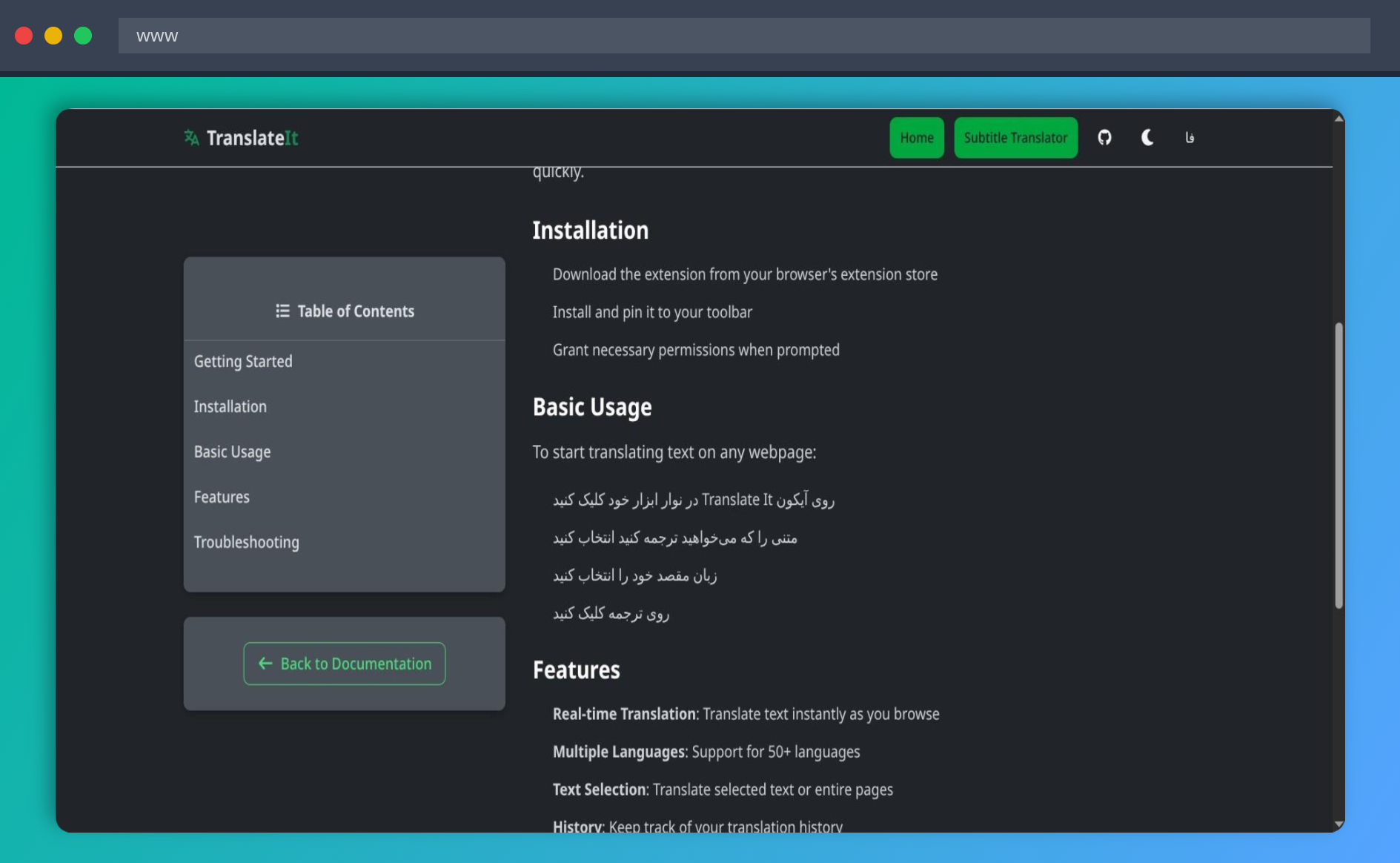
Select Element After Translation
The selected page content after the translation has been applied.
Ready to translate the web your way?
Install Translate It and choose the translation workflow that fits you.